Guides
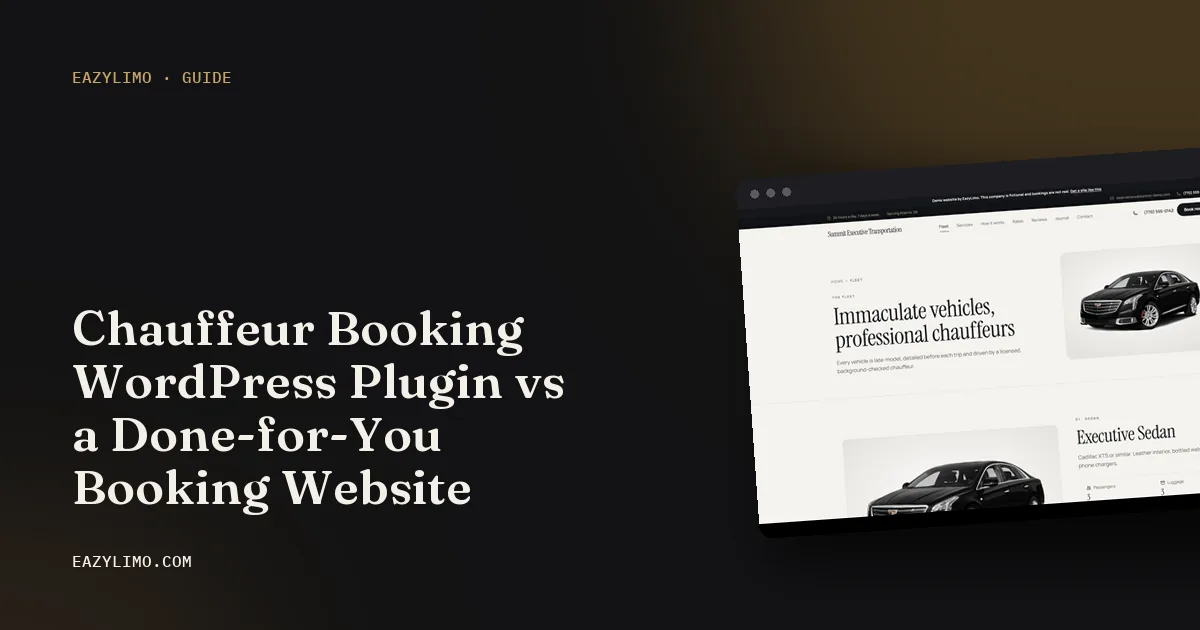
Chauffeur Booking WordPress Plugin vs a Done-for-You Booking Website
A WordPress chauffeur booking plugin gives you control; a done-for-you booking website gives you time back. Here is a fair look at setup, hosting, updates, payments and the hours each one takes.
EazyLimo Team 7 min read
If you have ever searched for a way to add online booking to a limo website, you have seen chauffeur booking plugins for WordPress. Many are well built, with distance-based pricing, vehicle selection and payment options. For a technical owner, they can be a smart, flexible choice.
The alternative is a done-for-you booking website, where the site and the booking system come as one product and the provider sets them up. This guide compares the two fairly, looking at what each does well, what each needs from you, and how much of your time each one really takes.
What each option actually is
A WordPress chauffeur booking plugin
WordPress is website software you install on a hosting account. A booking plugin is an add-on that places a booking form on your site. Typically you buy or download the plugin, install it on a WordPress site with a theme, connect a maps service for addresses and distances, connect a payment gateway, and enter your vehicles and rates. You are the owner, the administrator and the support desk.
A done-for-you booking website
Here the provider builds the website and the booking engine together and configures them from your information: logo, vehicle photos, service areas and prices. You get a finished site with a back office for bookings. The provider handles the technical layer, either as part of a hosting plan or as a one-time build with optional ongoing care.
Where the WordPress plugin shines
- Control. You choose the theme, the layout, the hosting company and every setting.
- Low software cost. The plugin itself is often inexpensive compared with other options, though the full cost includes more than the plugin.
- Huge ecosystem. WordPress has themes and plugins for almost anything, from SEO to contact forms.
- Portability. You can move your site to a different host whenever you like.
- Great if you enjoy it. If you like building websites, it can be satisfying and you learn skills along the way.
What the plugin still needs from you
The plugin is one piece. A working booking website needs all of these, and each is a task or a bill:
- Hosting that is fast enough on a phone and reliable at busy times.
- A theme that looks professional and works with the booking plugin.
- A domain and SSL certificate, which many hosts now include.
- A maps API key and billing account for address autocomplete and distance, set up with the right restrictions.
- A payment gateway connection, such as Stripe or PayPal, including test payments and webhooks if the plugin uses them.
- Email delivery that reliably reaches inboxes, since confirmation emails sent straight from a web server are often filtered.
- Backups and security, including a plan for what you do if the site is hacked or breaks after an update.
- Content: service pages, airport pages, a fleet page, photos and page titles for search.
None of this is unusual for WordPress. It just adds up, and it is easy to underestimate when a plugin page shows a single price.
Maintenance and updates
A WordPress site is a stack of parts from different authors: WordPress itself, the theme, the booking plugin and a handful of other plugins. Each one releases updates for security fixes and new features. Keeping the site safe means updating, and updating means the chance that something stops working together.
For a booking website, the part that matters most is the booking form. If an update breaks it on a Friday night, you may not notice until a customer calls to ask why they could not book. A sensible routine looks like this:
- Take a backup before any update.
- Update WordPress, the theme and plugins, ideally on a test copy first.
- Run a test booking from your phone: a point-to-point trip, an airport pickup and a card payment.
- Check that the confirmation email arrived and the booking shows in the admin.
- Repeat regularly, and immediately when a security update is released.
With a done-for-you website, this layer is handled by the provider as long as you have the relevant hosting or update plan. Your job is to use the admin, not to maintain the software underneath.
Payment setup
Both options can send payments to your own account. The difference is who wires it up. With a plugin, you usually create API keys in your payment account, paste them into the plugin, configure currency and deposit settings, and run test transactions. If the plugin relies on webhooks for payment status, those need setting up correctly too.
With a done-for-you site, you still connect your own Stripe or PayPal account, because the money should be yours, but the provider has already built and tested the payment flow. Either way, ask whether anyone takes a percentage on top of normal card processing.
Dispatch, drivers and invoices
Booking plugins focus on the customer side: the form, the price and the payment. Running the trip afterwards is a different job. Check whether the plugin, or a paid add-on, covers:
- Assigning a driver and sending the driver the trip details.
- A day view or dispatch board showing every upcoming trip.
- Corporate accounts that book during the month and pay on one invoice.
- Passing a trip to another operator when you are fully booked.
If these are not included, you will handle them in a spreadsheet, a calendar or a separate tool, which is more time again.
The time cost, honestly
Time is the cost most owner-operators forget to count. Your hours have a value: if you are building a website, you are not driving or selling. Use this as a planning checklist rather than a set of fixed numbers, because experience levels vary a lot.
| Task | WordPress plugin | Done-for-you booking website |
|---|---|---|
| Choose and set up hosting, domain and SSL | You | Provider, or guided by provider |
| Pick, install and configure a theme | You | Provider |
| Install and configure booking plugin | You | Provider |
| Maps API key and billing | You | Provider sets up, client key where required |
| Payment gateway and test payments | You | You connect your account, provider tests |
| Rates, surcharges and vehicles | You | Provider enters from your rate sheet |
| Service, airport and city pages | You write and build | Provider builds, you review |
| Updates, backups and security | You, ongoing | Provider, on a hosting or update plan |
| Fixing problems after updates | You or a paid developer | Provider |
| Dispatch, driver texts and invoices | Separate tools or add-ons | Depends on product, check the feature list |
Cost over three years: what to include
Compare the two on the same basis. For the plugin route, add the plugin licence and any renewals, premium theme, hosting for three years, maps usage, email delivery service, backup or security tools, any paid add-ons and the value of your setup and maintenance hours. For the done-for-you route, add the build or plan price and any hosting or update fees for three years. Our limo software cost worksheet gives you a table to fill in, and how much a limo website costs covers the website side in more depth.
Questions to ask before choosing a plugin
If you are leaning toward the plugin route, these questions help you pick a good one and avoid surprises later:
- When was the plugin last updated, and does it support the current version of WordPress?
- Does it price trips the way you quote: mileage bands, minimum fares, hourly minimums, flat airport routes and surcharges?
- Does it capture the airline and flight number on airport bookings?
- Which payment gateways does it support, and are they included or paid add-ons?
- Which maps service does it need, and what does the plugin documentation say about setting up the key?
- Is support included, for how long, and how do you reach it?
- Can you export bookings and customers if you change systems later?
Ask the same questions of a done-for-you provider. A good answer to each one, in writing, is a strong sign either way.
Who should pick which
Pick the WordPress plugin if
- You are comfortable with WordPress or have a developer you trust.
- You want full control over design and hosting.
- You have time for setup and a regular update routine.
- You already run a WordPress site that brings in traffic.
Pick a done-for-you booking website if
- You drive most of your own trips and your spare time is limited.
- You do not have a website that brings in bookings yet.
- You want dispatch, driver messages and invoicing in the same system as the booking form.
- You would rather review a finished site than build one.
For a broader look at DIY options, see limo website template vs done-for-you.
Where EazyLimo fits
EazyLimo is a done-for-you option built for owner-operators with 1 or 2 vehicles. The website and booking engine come together, with instant quotes from your rates, airport bookings with flight details, payment through your own Stripe or PayPal, a dispatch board, driver trip texts, and corporate accounts with monthly invoices. You can pay once and own it or pay monthly, with optional hosting and updates; details are on the pricing page and the full list is on the features page.
Next steps
- List every task in the time table and mark which ones you are willing to do yourself.
- Price both routes over three years, including your hours.
- Book a test trip on a plugin demo and on the EazyLimo live demo from your phone.
- Choose the one your customers find easiest to book with.