Guides
Limo Software Alternatives for Small Operators
Full dispatch suites are not the only way to take limo bookings. Here are the four main types of options for 1 or 2 car operators, what each does well and who each one suits.
EazyLimo Team 7 min read
Search for limo software and you will mostly find platforms built for fleets with dispatch offices. They can be excellent products. But if you run one or two vehicles, you may be paying for a control room when what you need is a front door: a way for customers to find you, see a price and book.
This guide groups the alternatives into four categories rather than ranking brand names, because the right choice depends far more on the type of tool than on the logo. For each category you will see what it does well, where it falls short for a small operator, and who it suits.
Start with what you actually need
Before comparing anything, write down how your business works today. Answer these honestly:
- How many trips do you do in a typical month, and how many do you expect in a year?
- Who takes bookings: you, while driving, or someone at a desk?
- Do customers find you online, or mostly through referrals and repeat clients?
- Do you have a website that brings in bookings today?
- What ride types do you sell: airport transfers, hourly, weddings, corporate accounts?
- Do you pass jobs to other operators when you are fully booked?
Your answers point to a category. An operator with a desk dispatcher and several affiliates has different needs from a chauffeur who takes bookings between airport runs. We cover the must-have features in more detail in limo booking software for small companies.
Category 1: Full dispatch suites
These are the platforms most people mean when they say limo software. Well-known examples include Limo Anywhere and Moovs. They are built around the dispatch office: reservations, a dispatch grid, driver apps, affiliate networks, billing and reporting, often with a customer booking widget or app on top.
What they do well
- Handle many vehicles, drivers and trips at once.
- Support dispatch staff with detailed views and permissions.
- Connect with affiliate networks for farm-in and farm-out work.
- Offer deep reporting and integrations for larger operations.
Where they can fall short for a small operator
- Many screens and settings you will not use with one or two cars.
- Pricing is usually ongoing, and extras can add up. Use our limo software cost worksheet to get the full picture.
- The public website is often not the focus, so you may still need a separate site that ranks on Google.
- Setup can take real time if you configure it yourself.
Who it suits
Operators with several vehicles, staff taking reservations, regular affiliate work, or plans to grow a fleet quickly. If that is you, a full suite may well be worth it. For product-by-product detail, see our comparisons such as EazyLimo vs Limo Anywhere and EazyLimo vs Moovs.
Category 2: General booking and scheduling tools
These are appointment or service-business booking apps used by salons, cleaners, tutors and many other trades. Some operators adapt them for limo bookings because they are familiar and quick to start.
What they do well
- Quick setup with a hosted booking page.
- Calendar sync, reminders and simple payments.
- Clean, familiar booking flow for customers.
Where they can fall short
- Most are built around fixed-length appointments, not trips priced by distance.
- Usually no address autocomplete with mileage calculation, so you cannot show an instant price for point-to-point trips.
- No fields for airline and flight number unless you add custom questions, and no logic for airport surcharges or hourly minimums.
- No driver assignment, dispatch view or corporate invoicing designed for transportation.
Who it suits
Operators who sell mostly fixed packages, such as a set wedding package or a fixed hourly block, and who are comfortable quoting everything else by hand. It can be a reasonable stopgap while you test demand.
Category 3: A basic website plus payment links
This is how many owner-operators start. You have a simple website or a social media page with a phone number and a contact form. When someone asks for a ride, you quote by text or email and send a payment link from your card processor or an invoice.
What it does well
- Very low cost to start and almost nothing to learn.
- Every customer gets a personal quote, which can help with unusual jobs.
- Payments land directly in your own account.
Where it falls short
- Every booking needs you. If you are driving, the customer waits, and some book someone else.
- No instant price, so late-night website visitors leave without booking.
- Details like flight numbers and pickup instructions end up scattered across text threads.
- No central list of trips, so double bookings and missed details become more likely as you get busier.
Who it suits
Brand new operators with a handful of trips a month, mostly from people who already know them. It is a fine way to begin, but it tends to hit a ceiling once website traffic grows. Our guide to online booking for a one-car limo business explains when it is time to move on.
Category 4: A done-for-you website with booking built in
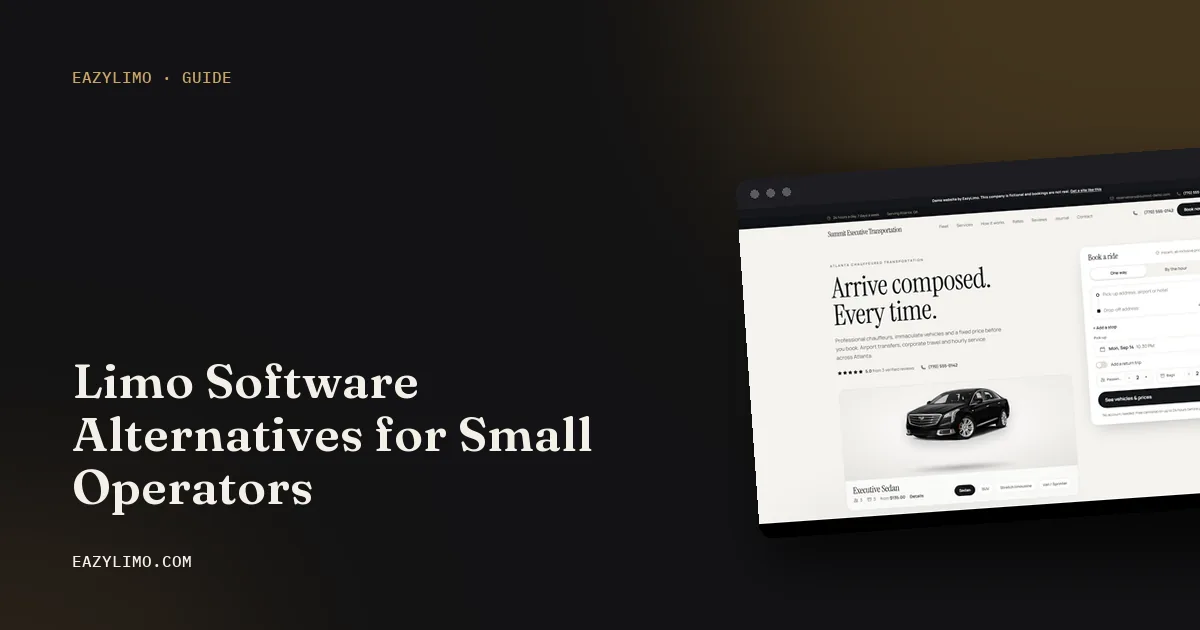
In this category, the website and the booking engine come together, and the provider sets them up for you. You send your logo, vehicle photos and rates; you get a site where customers see a price from your own rules and book online, plus a simple back office to run the trips.
What it does well
- The website that attracts customers and the booking form that converts them are one product.
- Instant quotes from your own pricing, including airport trips with flight details.
- Little setup work for you, which matters when you also drive.
- Pages for the airports and cities you serve help people find you on Google.
Where it can fall short
- Not designed for large dispatch offices with many staff and complex affiliate workflows.
- Fewer deep integrations than an enterprise suite.
- You depend on the provider for setup quality, so look at real examples and a live demo first.
Who it suits
Owner-operators with one or two vehicles, often without a website that brings in bookings, who want to take bookings online without learning a complex system. If you are unsure whether to build your own site instead, read limo website template vs done-for-you.
The four categories side by side
| Category | Best for | Instant quotes | Website included | Your setup work |
|---|---|---|---|---|
| Full dispatch suite | Larger fleets with staff and affiliates | Usually, via widget or app | Often separate | Medium to high |
| General booking tool | Fixed packages and time blocks | Rarely for distance-based trips | Hosted booking page | Low to medium |
| Website plus payment links | Very low volume, mostly referrals | No, you quote by hand | Basic site you manage | Low at first, high per booking |
| Done-for-you booking website | 1 or 2 car owner-operators | Yes, from your own rates | Yes | Low |
This table describes typical products in each category. Individual products vary, so confirm the details with any vendor before you buy.
Mixing categories as you grow
You do not have to pick one category forever. Many operators move through them in order: they start with a basic website and payment links, move to a booking website once online enquiries pick up, and consider a full dispatch suite only when they have several vehicles and someone taking reservations full time.
Some also combine tools for a while. For example, you might keep a general booking tool for a fixed wedding package while airport and hourly trips go through a proper limo booking form. That can work, but every extra tool is another login, another place for bookings to hide and another bill. Before adding a second system, ask whether the first one can handle the job with a small change to your rates or ride types.
When you do move up, plan the switch. Export your customer list and upcoming bookings, keep your domain and phone number, and tell repeat clients about the new way to book.
How to choose in one evening
- Pick your category first. Use your answers from the start of this guide. Most 1 or 2 car operators land in category 3 or 4.
- Shortlist two or three products in that category, plus one from a neighboring category as a check.
- Book a test trip on each from your phone: an airport pickup with a flight number, an hourly job and a round trip.
- Price each option over three years with every fee included.
- Ask what you keep if you leave: your website, your customer list and your booking history.
Whatever you pick, avoid switching every few months. Moving your bookings, website and customer habits has a real cost, so choose something that fits the next two or three years.
Where EazyLimo fits
EazyLimo is in category 4. It is a done-for-you limo website with online booking built in, made for owner-operators with 1 or 2 vehicles. Customers get instant quotes from your rates, airport bookings capture flight details, and card payments go through your own Stripe or PayPal account. Behind the site there is a dispatch board, driver trip texts, corporate accounts with monthly invoices and farm-out by link. You can pay once and own it, or choose a monthly plan; see the pricing page for details, or try the live demo as a passenger would.
Next steps
- Answer the six questions at the top of this guide and pick your category.
- Work out your full 3-year cost with the limo software cost worksheet.
- Test each shortlisted booking flow on your phone.
- If you are just getting started, read how to start a limo business.