Guides
Limo Website Template vs a Done-for-You Limo Website
A limo website template looks cheap and fast, but quotes, payments and dispatch are left to you. Here is an honest comparison with a done-for-you limo website, and when a template is enough.
EazyLimo Team 7 min read
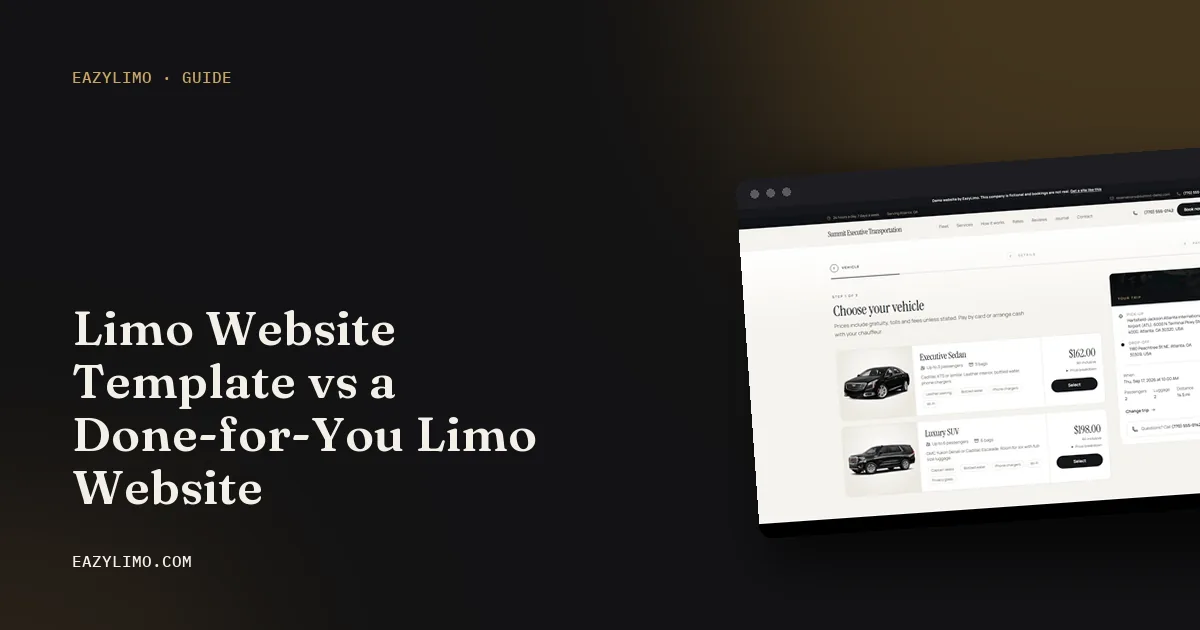
If you search for a limo website template, you will find plenty of good-looking designs with black cars, gold accents and a booking form on the home page. They are affordable and you can install one tonight. The question is what happens after you install it.
This article compares a limo website template with a done-for-you limo website, honestly, including the cases where a template is the right call. It is written for owner-operators with one or two vehicles who want bookings, not a web design hobby.
Where limo website templates come from
Limo and chauffeur templates are sold in a few common places:
- Theme marketplaces that sell templates for popular content management systems.
- Website builders that offer transportation or car service starter designs inside their subscription.
- Free HTML templates that you download and host yourself.
The designs are often polished, because they are built to sell the template. The screenshots show a finished site with perfect photos and example content. What you receive is the layout, and you fill in the rest.
What templates usually leave out
A limo website is not only a brochure. The part that earns money is the booking flow, and that is where templates usually stop.
Instant quotes from your rates
Customers want to see a price before they call. A real quote needs distance calculation, your mileage bands, minimum fares, hourly minimums, flat routes for common airport trips and surcharges for late nights or extra stops. A template's booking form often just emails you the pickup and drop-off addresses, and you still have to call back with a price.
Payments
Taking a card at booking, a deposit for weddings or allowing pay the chauffeur for regulars all need a payment connection and clear rules. Templates rarely handle this out of the box.
Airport details
Airport pickups need the airline, flight number and arrival time. A generic contact form does not ask for them unless you rebuild it.
Dispatch, drivers and invoices
Once bookings arrive, you need somewhere to see them, assign a driver, send trip texts and invoice corporate clients monthly. None of that lives in a template.
Adding a booking plugin: the real work
The usual fix is to add a booking plugin or connect an outside booking service. That can work, but it is where most of the time goes. A typical setup list looks like this:
- Install the plugin and check it works with your template and hosting.
- Create a maps account and API key for address search and distances, and set usage limits.
- Enter your vehicles, capacity, rates, minimums and surcharges in the plugin's format.
- Connect your payment account and test real and refunded payments.
- Set up confirmation emails and make sure they do not land in spam.
- Style the booking form so it matches the template and works on phones.
- Test every trip type: point to point, hourly, airport pickup and return trips.
- Keep the template, plugin and platform updated, and retest after updates.
None of these steps is impossible. Together, they add up to a real project, and step 8 never ends. If an update breaks checkout on a Friday night, you are the one fixing it.
Mobile speed and SEO basics templates often miss
Most people book a limo from a phone, and Google looks at the mobile version of your site. Templates built to impress in a demo sometimes carry features you do not need:
- Heavy sliders and animations that slow the first page load.
- Large uncompressed images from the demo content.
- Placeholder text left on inner pages that nobody visits during setup.
- Missing or duplicate page titles and descriptions.
- No pages for airports or service areas, which are the searches local customers actually make.
If you go the template route, work through our limo SEO basics checklist before launch. It covers titles, local pages and your Google Business Profile.
Template vs done-for-you: side-by-side comparison
| Factor | Template plus plugin | Done-for-you limo website |
|---|---|---|
| Upfront cost | Usually lower | Higher one-time fee, or a monthly option |
| Your setup time | High: content, plugin, maps, payments, testing | Low: you supply details, the site is set up for you |
| Instant quotes from your rates | Depends on the plugin | Built in |
| Airport bookings with flight details | Often needs customization | Built in |
| Card payments | Plugin and payment setup required | Connected to your own payment account |
| Dispatch and driver assignment | Usually a separate tool | Included in limo-specific builds |
| Corporate invoices | Usually a separate tool | Included in limo-specific builds |
| Updates and fixes | You, or someone you pay | Covered by the hosting and updates plan, if taken |
| Design uniqueness | Other businesses may use the same template | Branded to your business |
| Ownership | You own it | Depends on the provider and plan |
For a fuller view of what each path costs over time, including hosting, maps and payment fees, see how much a limo website costs.
Time and cost: how to compare fairly
A template can look many times cheaper than a done-for-you site until you count time. Try this quick exercise:
- Estimate the hours for each step in the plugin setup list above. Be honest, and add time for things going wrong.
- Multiply those hours by what one hour of driving earns you.
- Add the template, plugins, hosting and any paid add-ons for three years.
- Add the hours you expect to spend each month on updates and fixes.
- Compare that total with the three-year cost of a done-for-you option.
For some owners the template still wins. For others, especially those driving full weeks, the hours tell a different story.
When a template is enough
A template is a sensible choice when:
- Nearly all your trips come from a few regular clients who call or text you.
- You do not want online payments and you quote every trip personally.
- You enjoy building websites and have evenings free to maintain one.
- You need something online this week while you plan a fuller site later.
In that case, keep it simple: a clear home page, real photos of your vehicle, your service area, a phone number that is easy to tap and a short contact form. Skip plugins you do not need.
When a done-for-you site makes more sense
A done-for-you limo website usually makes more sense when:
- You want new customers to find you on Google and book without calling.
- You serve airports and need flight details on every pickup.
- You want card payments to go straight to your own account.
- You have or want corporate clients who expect monthly invoices.
- You would rather spend your time driving than fixing plugins.
If booking with one car worries you, read our guide to online booking for a one-car limo business for lead time and buffer rules.
What to prepare, whichever option you choose
A template and a done-for-you site both go faster when you have your details ready. Gather these before you start, and the website will be live sooner either way:
- Your logo and brand colors, or at least the business name exactly as registered.
- Real photos of your vehicles, taken in good light, outside and inside. Avoid stock photos of cars you do not own, since clients notice when the car that arrives looks different.
- Vehicle details: make, model, color, passenger capacity and luggage capacity.
- Your rate card: base fares, mileage or hourly rates, minimums, flat airport routes and surcharges. Our guide to pricing airport transfers helps if you have not set these yet.
- Your service area and the airports you serve.
- Your policies: cancellation terms, wait time charges, deposits and when you accept pay the chauffeur. The limo cancellation policy template is a good starting point.
- Payment account access, such as your own Stripe or PayPal account, so card payments reach you directly.
- Your domain name login, or a list of names you like if you have not bought one yet.
- A short About section in your own words: how long you have been driving, what kinds of trips you love and what clients can expect.
Having this list ready also makes quotes from designers and providers more accurate, because they can see exactly what the site needs to handle.
Questions to ask any template seller or website provider
- Can I see a live site, not a screenshot, and try booking a trip on it?
- Does the booking form calculate a real price from my rates, or only send an email?
- Who fixes the site if an update breaks booking or payments?
- Do I own the domain, the design and my customer data?
- How does the site perform on a phone with a weak signal at an airport curb?
A done-for-you option built for small operators
EazyLimo is one done-for-you option, made for owner-operators with one or two vehicles. The site comes with instant quotes from your own rates, airport bookings with flight details, card payments through your own Stripe or PayPal, a dispatch board, driver assignment with trip texts, corporate accounts with monthly invoices and airport and city pages. You can pay once and own it or choose the monthly plan; see pricing and how it works.
Next steps
- Write down how your bookings come in today and how you want them to come in.
- Run the time and cost exercise above for a template and a done-for-you site.
- If you try a template, follow the SEO basics checklist before launch.
- Book a test trip on the live demo to compare it with any template you are considering.